Records
vinyl, in its sleeveLPs and singles, each at its own size. In the record shop, pull one out of its crate.
Drisiúr is a desktop app for the things you collect. I built it for my own books, records, comics and games. Everything is drawn at its real size, on shelves with proper light and shadow. There’s no account and nothing to sign in to.
It isn’t out yet. Leave your email and I’ll tell you when it is.
Coming to Windows and macOS, and Linux builds work too. I’ll send the odd note on how it’s going as well. Privacy

The name
drisiúr
Irish. Said “drish-oor”.
A dresser: the kitchen press with open shelves above, where a house keeps its good plates and its best things on show.
In an Irish kitchen, it’s where the good plates go on show.
Real objects
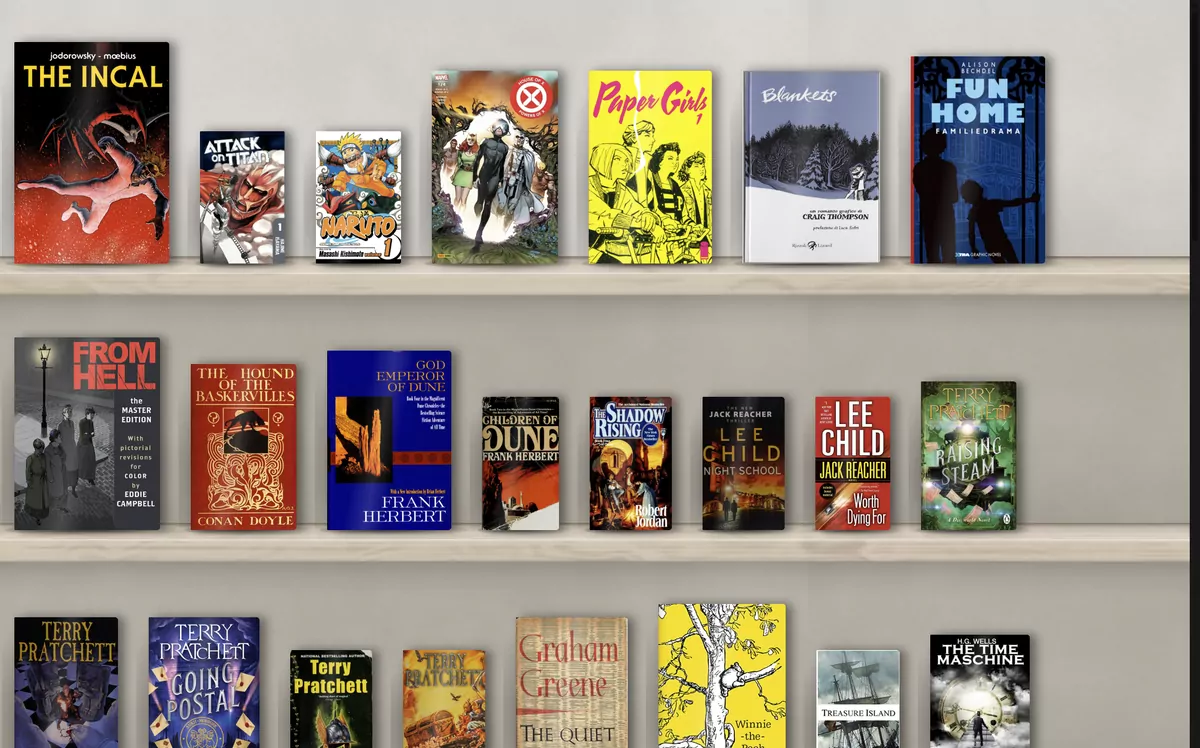
Most collection apps show a grid of covers, all the same size. In Drisiúr an LP is as big as an LP, a CD sits in its jewel case and a cassette in its case, so the shelf looks like the one at home.
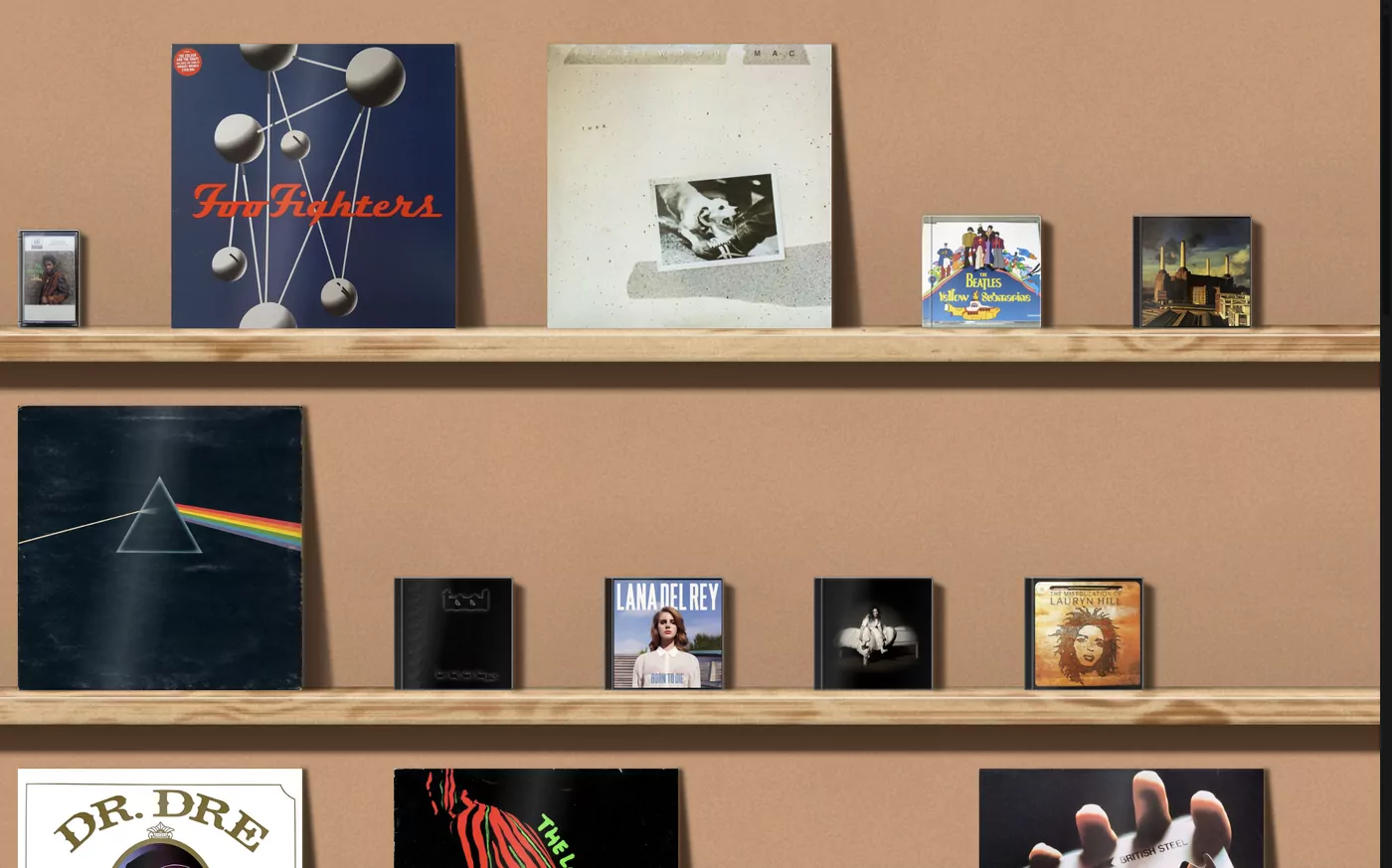
LPs and singles, each at its own size. In the record shop, pull one out of its crate.
With a black tray or a clear one.
The standard case, at the standard size.
Graded comics stand in their slabs, with the label showing.
Each one at its own height and thickness.
Films, games, board games, LEGO, Gundam, cameras, figures, bottles, cards, and categories you make yourself.
Finishes
Each finish has its own light and shadow. Gallery is the default, in daylight. Birch & board has hard sun from the upper left. You can give each category its own.
The details
Whatever you pick gets a short green line on the plank in front of it. The panel beside the shelf shows the object, takes a tint from its cover, and has your copy underneath: its status, your rating, tags and who has it on loan.
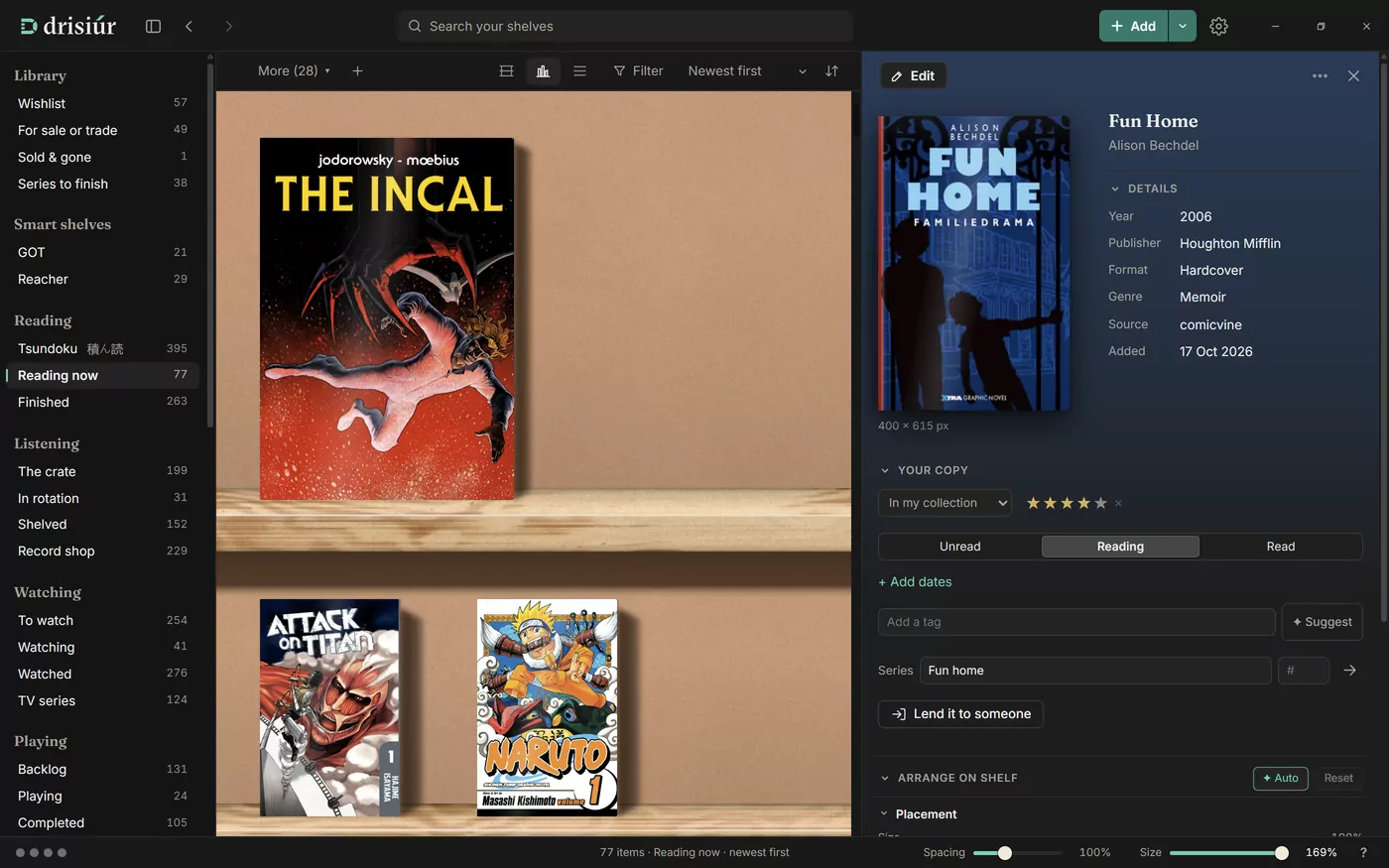
This is folded away until you need it. You can change the size, move it, turn it on its base, change how its shadow falls and add a spotlight from the shelf above. Try the same eight sliders here.
Browse
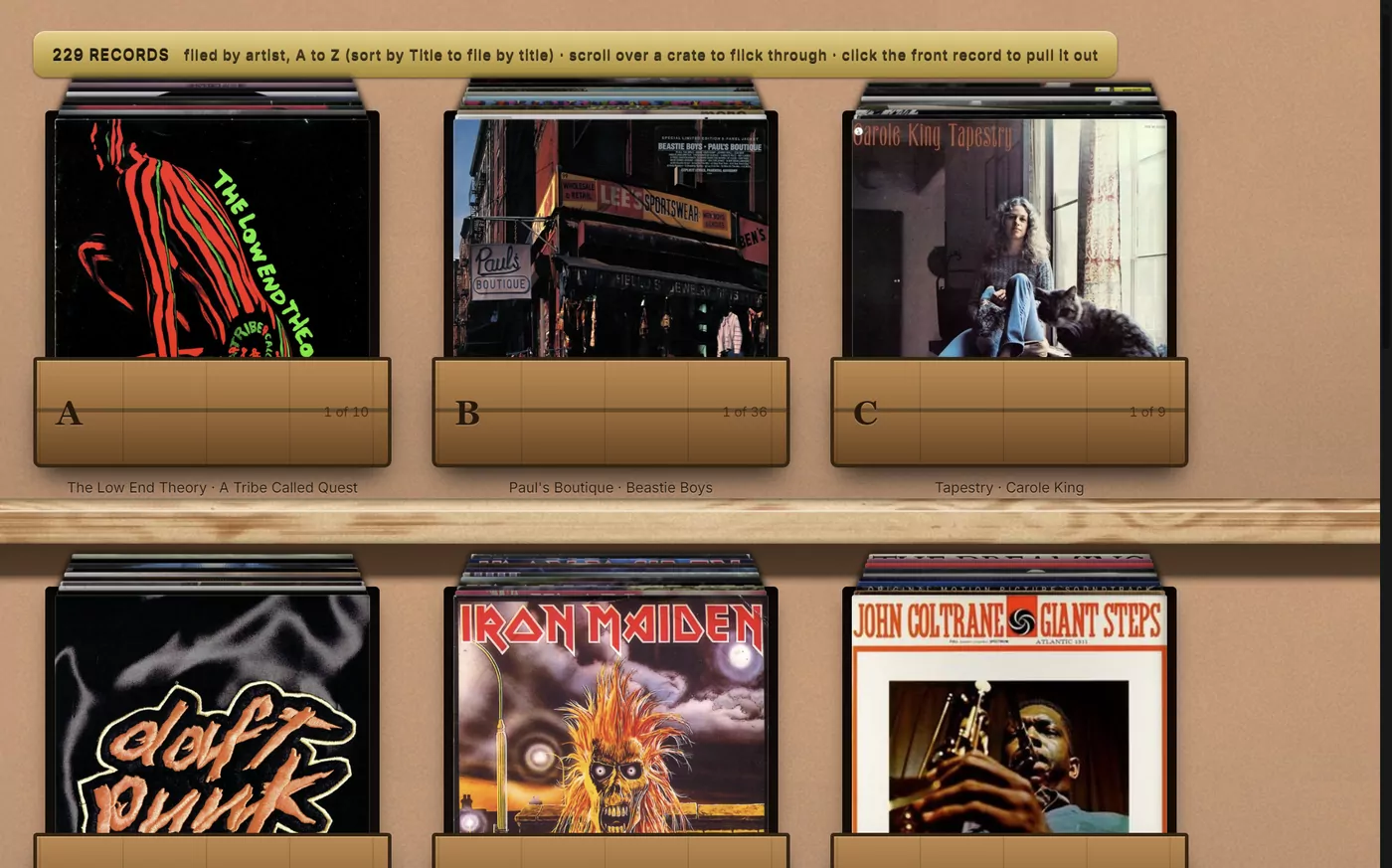
Your records stand in crates by letter. Scroll over a crate to flick through it, and click the front record to pull it out.
Lookups
Drisiúr asks the services you’ve picked, one after another, and keeps what it finds. Each one is a plugin you can switch off, move up or down, or swap for another.
How it works
It’s a single SQLite file, with the artwork in a folder beside it. Nothing leaves your computer except the lookups you ask for, and there’s no account to sign up for.
To use it on two computers, keep it in a folder that Dropbox, iCloud Drive or OneDrive syncs. You can also export it to CSV, JSON or a web page of your shelves.
title,creators,kind,year,publisher,pages,identifier,…,status,rating,format,…,on_loan_to
Pride and Prejudice,Jane Austen,book,2003,Penguin Classics,480,9780141439518,…,read,5,Paperback,…,
The Hobbit,J. R. R. Tolkien,book,,,,,…,read,5,Paperback,…,Deirdre
Teenage Kicks,The Undertones,music,1978,Good Vibrations,,,…,unread,,7-inch single,…,
Chess,,boardgame,,,,,…,read,4,,…,
Live and Dangerous,Thin Lizzy,music,1978,,,,…,read,5,Double LP,…,
[
  {
    "kind": "book",
    "title": "Pride and Prejudice",
    "creators": ["Jane Austen"],
    "year": 2003,
    "identifier": "9780141439518",
    "publisher": "Penguin Classics",
    "rating": 5,
    "height_cm": 19.8,
    "width_cm": 12.9,
    "format": "Paperback",
    …
  }
]
shelfware-backup-2026-10-18-0930.zip
├─ library.sqlite          every item
├─ settings.json
├─ categories.json         categories of your own
├─ plugin-state.json
├─ plugins/
└─ covers/                 every cover, cached
Examples. The CSV is cut down to fit; the real one has 22 columns.
Drisiúr doesn’t link out to streaming services. It’s about the copy on your shelf.
Importing
Delicious Library was discontinued in 2024 and its lookups stopped working. Export your library as Delimited Text and open it in Drisiúr. Titles, creators, ratings, notes, series, status and loans all come across, and Drisiúr fetches the artwork again.
Goodreads, StoryGraph, card collections and spreadsheets import the same way.
Moving from Delicious Library has a page of its own.
Not yet. Your library is an open file, so you won’t be stuck with it either way.
It doesn’t link out to streaming services.
Your library stays on your computer, or in a synced folder you choose.
Most collection apps keep your library on their servers, behind an account. Here’s how some of them compare.
| App | What it is | Where your library lives |
|---|---|---|
| Libib | Web and mobile cataloguer | Their cloud, with an account |
| CLZ Books, Music, Movies, Games | One mobile and web app, and one subscription, per kind of thing | CLZ Cloud, with an account |
| CLZ desktop | Windows and Mac cataloguer, no longer sold to new users | On your disk |
| Delicious Library 3 | Mac cataloguer, discontinued in November 2024; its lookups no longer work | On your disk |
| Memento Database | General-purpose database with templates | Their cloud, for synced libraries |
| Data Crow | Free, open-source desktop cataloguer | On your disk |
| Drisiúr | Real-size shelves for the whole house | On your disk, or a folder you share |
Something else? Write to hello@drisiur.app.
“Drish-oor”, near enough. It’s the Irish for a dresser, the kitchen press where a house keeps its good things on show.
Windows and macOS. Linux builds work too.
On your own computer: the library is one SQLite file, with its covers, settings and plugins in the folder beside it. There’s no account and no cloud. To use it on two computers, keep it in a folder Dropbox, iCloud Drive or OneDrive keeps in step.
Only for the lookups you ask for: the details of what you add, and the covers they point to. Everything else works offline.
Yes. Drisiúr reads Delicious Library’s Delimited Text export, Goodreads, StoryGraph, card collections and plain spreadsheets.
Drisiúr is about the copy you own, so it doesn’t link out to streaming services.
Not yet. Your library is an open SQLite file with CSV and JSON exports, so it won’t be stuck either way.
The app keeps working; nothing phones home. Your library is a file any SQLite tool can open, and Drisiúr is MIT-licensed.
I’ll send the odd update on how it’s going, and one when it’s ready.