Built in
Drisiúr has fourteen kinds of shelf, plus Other:
Books · Comics · Music · Films · Video games · Board games · LEGO · Gundam · Cameras & lenses · Hardware · Figures · Tools · Cards · Bottles · Other
Each has its own labels, fields and pick-lists. Gundam has a grade list (HG, RG, MG, PG, EG, SD, RE/100, Full Mechanics, MEGA), each with its usual box size; Cameras have Mount, Type, Serial number and Shutter count.
Fields
Every category also has:
- Condition (cards and comics have a Grade instead, such as “PSA 10” or “Near mint”)
- Where it lives
- Bought, From, Price paid and Worth now, with Shipping, fees, grading and Recent sales
- Pay up to and Want at least, for the wishlist
- Sold, Sold for and Selling fees
- Copies, Ownership and tags
Books and cards have extra fields in folding groups. Books have People (illustrator, translator, editor, narrator), Publishing, Collecting (edition, binding, dust jacket, signature, provenance and more) and Your reading (review and quotes). Cards have Card, Sports, Grading and Where it’s kept.
To keep something Drisiúr doesn’t ask for, press + Add a field of your own in the editor. The field appears on every item in that category.
Statuses
Each category has three statuses in its own words, and they drive the lists in the sidebar:
| Category | Statuses |
|---|---|
| Books, Comics | Unread · Reading · Read |
| Music | Unplayed · In rotation · Shelved |
| Films | To watch · Watching · Watched |
| Video games | Backlog · Playing · Completed |
| Board games | Unplayed · On the table · Played |
| LEGO | Sealed · Building · Built |
| Gundam | Unbuilt · Building · Built |
| Bottles | Sealed · Open · Finished |
| Cameras & lenses | On the shelf · In the bag · Retired |
| Hardware | Boxed · In use · Retired |
| Figures | Boxed · On display · Packed away |
| Tools | In the toolbox · In use · Needs fixing |
| Cards | In the collection · In a deck · For trade |
| Other | New · In use · Done |
Categories of your own
Press the + beside the category chips (“Make a category of your own: coins, stamps, watches, anything”). The New category dialog asks:
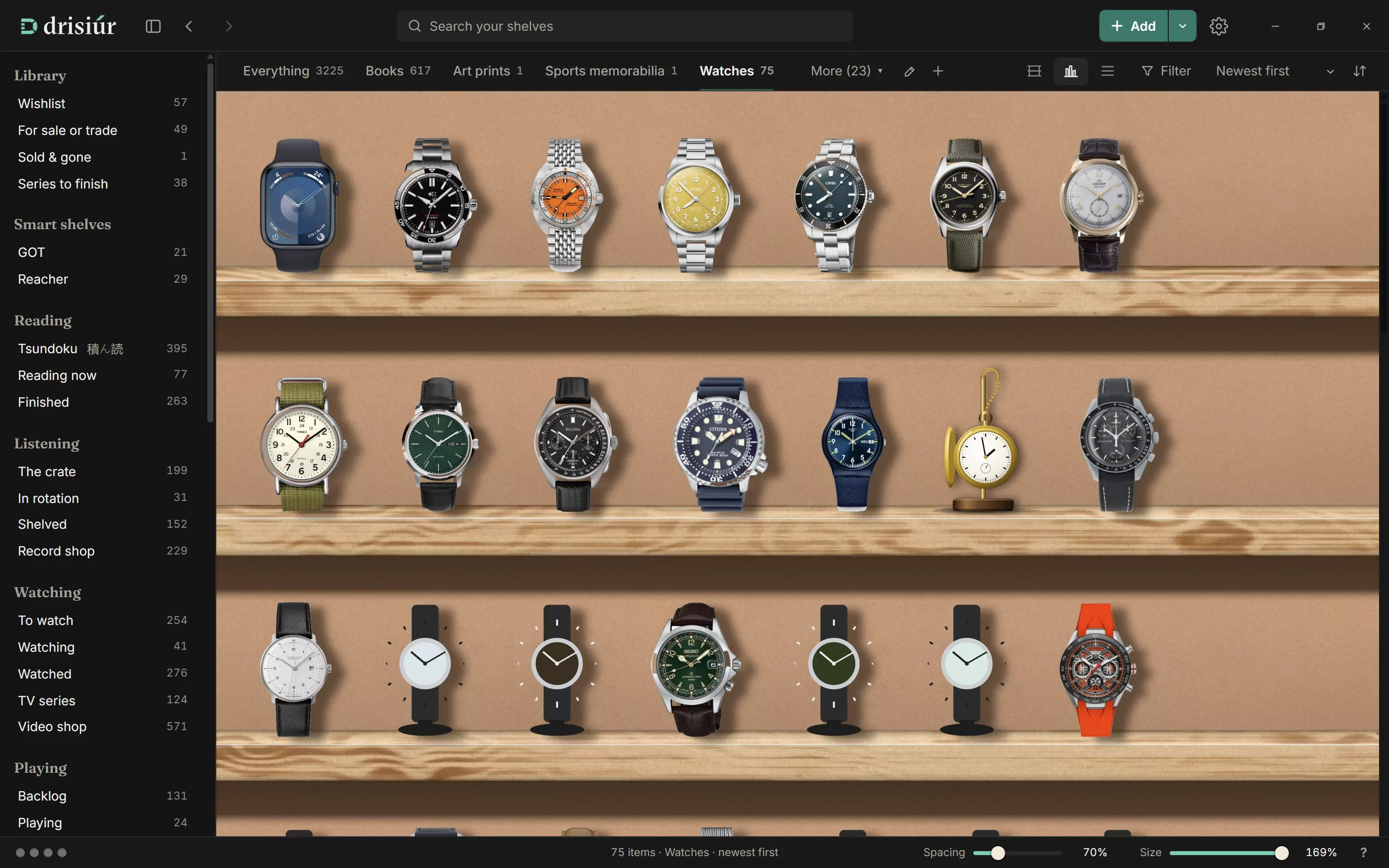
- Start from: a template, or nothing.
- Name, One of them (the singular) and Who makes them (what the creator is called).
- On the shelf: how they’re drawn. Spines, Cases, Sleeves, Boxes, Standing objects, Bottles or Flat cards.
- Details to keep, from a library of fields: what it is, condition, catalogue numbers, measurements.
- Fields of your own, and its three status names.
Press Make it. To change it later, use the pencil beside the chips (“Change this category”). Delete category moves its items back to the base kind with every detail kept.
Nothing online knows about a category you’ve just invented, so lookups for it come from plugins. If one of the plugins that comes with Drisiúr can answer it, Drisiúr tells you when you make the category.
Templates
Eighteen templates set up the name, shape, fields and statuses for you:
Sealed product · Coins · Banknotes · Stamps · Watches · Wine · Perfume · Die-cast cars · Hats · Sneakers · Dolls · Minerals · Postcards · Model trains · Art prints · Sports memorabilia · Vintage toys · Militaria
Coins, banknotes, stamps, watches, hats, sneakers, die-cast cars and minerals have drawings of their own on the shelf. Hats are drawn as caps. Sealed product is for booster boxes, tins and hobby boxes; see Trading cards.