Shelves or a list
Switch between Shelves and List at the top of the shelf. The list has columns for Title, By, Year, Kind, Status and Size. Click the Title, By or Year heading to sort by it.
On the shelves, each row is packed by the real width of what’s on it, so a run of slim paperbacks fits more than a row of box sets. Very big shelves only draw the rows near the screen and fill in the rest as you scroll, so ten thousand items stay quick.
Size and spacing
The Size slider in the footer zooms the shelf. The number beside it is the size against the usual one, and clicking it puts it back to 100%. Small things go further so you can see the detail: cameras and figures, and tapes, MiniDiscs and 8-tracks on a shelf of their own, go up to 400, and cards to 700. Each category remembers its own size.
Spacing, beside it, is the room between things on the shelf, from none to three times the usual.
Shelf options
The shelf icon opens the options for the category you’re looking at:
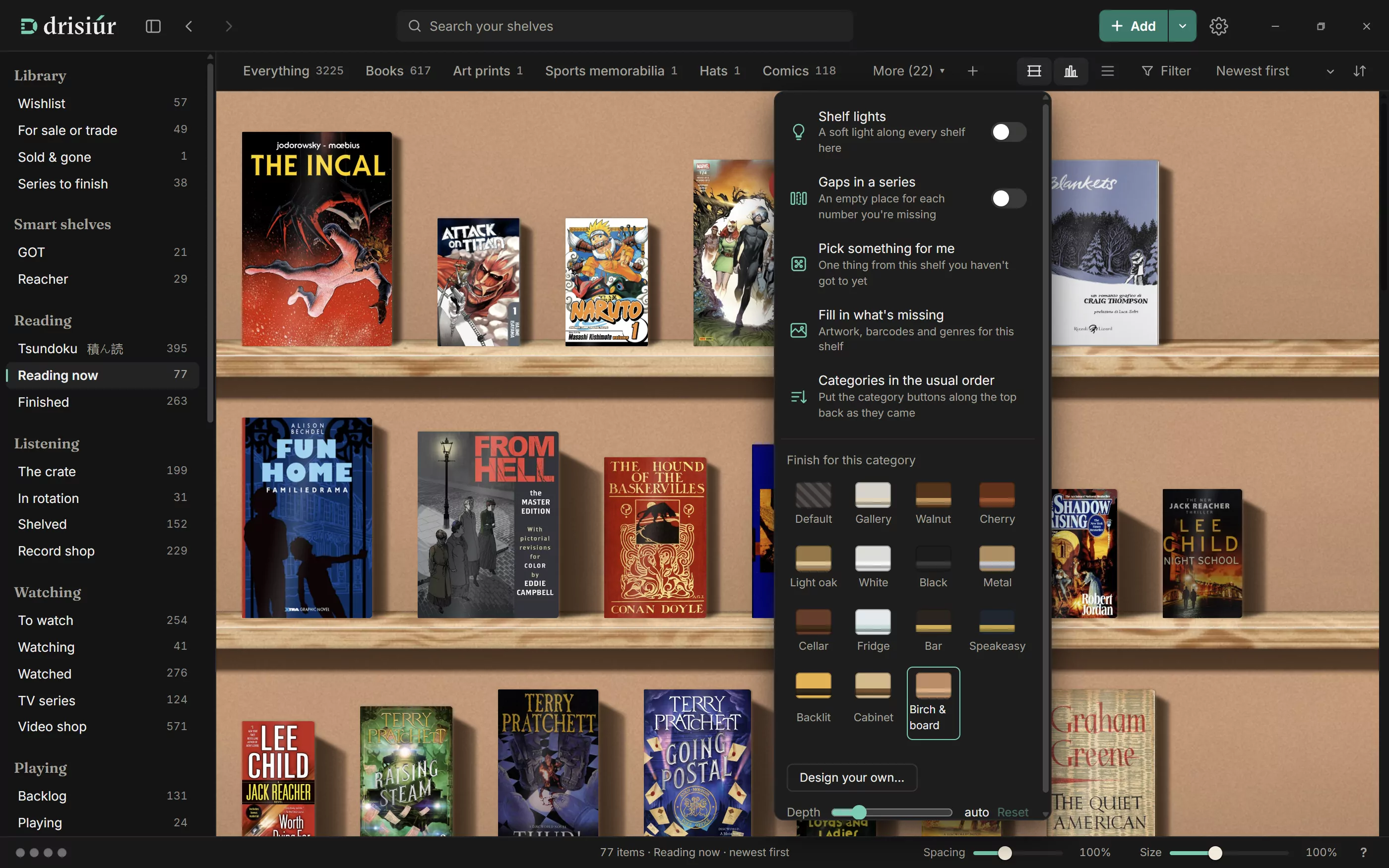
- Shelf lights
- Gaps in a series: an empty place for each number you’re missing (see below)
- Pick something for me: one thing from this shelf you haven’t got to yet
- Fill in what’s missing: artwork, barcodes and genres for this shelf
- Categories in the usual order: puts the category chips along the top back the way they came, if you’ve dragged them about
- Finish for this category, Your designs and Design your own…. With one of your designs in use, Change this design opens it again.
- Depth, from 8 to 90, with Reset
- For cards: Binder pages by set, with the gaps you’re missing. English and Japanese printings of a set get binders of their own.
Finishes and designs
Each category can have its own finish, and each finish has its own rules for light, shadow, spacing and placement. Gallery, the default, is pale oak planks on soft plaster, in daylight. Birch & board has hard sun from the upper left and crisp shadows. Then Walnut, Cherry, Light oak, White, Black, Metal, Cellar, Fridge, Bar, Speakeasy, Backlit and Cabinet. Put the whisky in the Speakeasy and the wine in the Cellar.
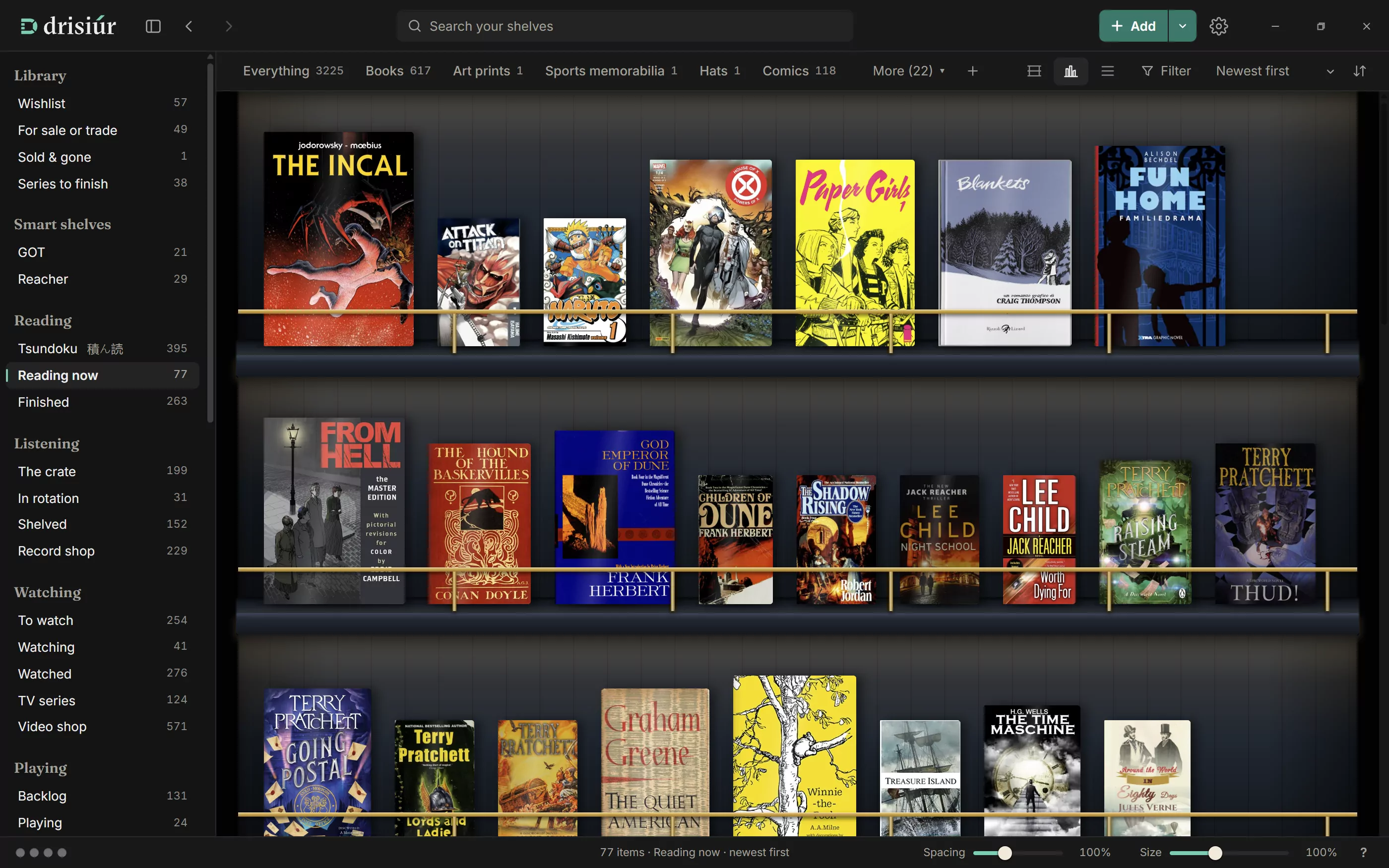
Design your own… opens Design a bookcase: the wood, with or without grain; the back wall (Paint, Wood panels, Brick, Pegboard, Wallpaper or Felt); the light (None, Warm, Cool or an LED strip); glass doors; the thickness of the planks; and the depth of the shelves. Your designs are listed under Your designs for any category.
Gaps in a series
With Gaps in a series on, every missing number in a series gets an empty place on the shelf, with Wishlist, I have it and Find titles. A run of four or more missing numbers is folded into one place; Show each opens it up. A box set fills the numbers it holds: set them in its Numbers it holds field, such as 1-5.
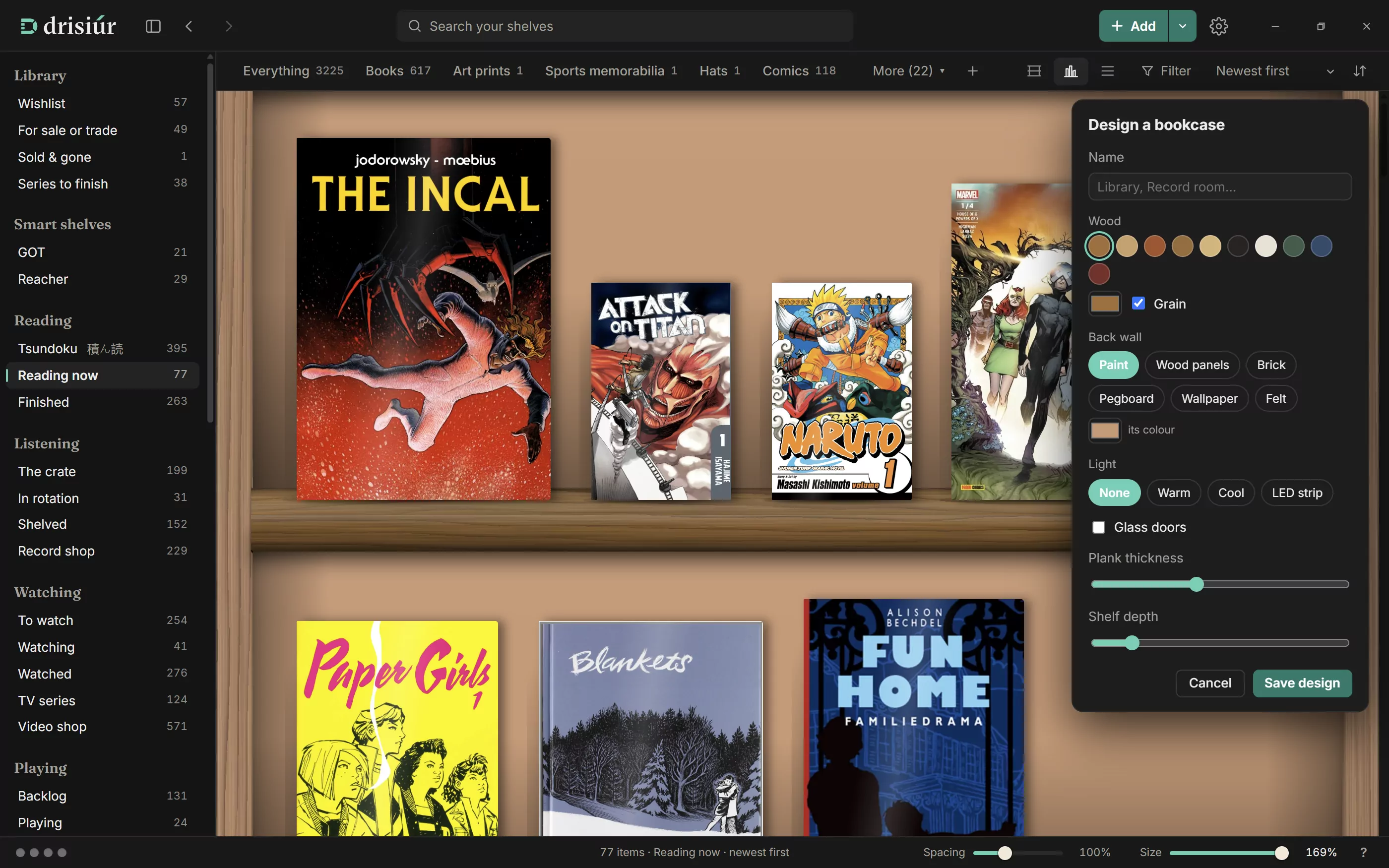
The sidebar’s Series to finish lists every series with gaps, and makes a Shopping list.
A gap shows only its number until it has a title. With a key for Claude, press Find titles and Drisiúr asks Claude for the titles of the missing numbers. Titles found once are remembered, so the gaps keep their names.
To have gaps named without pressing anything, switch on Name gaps in a series automatically under Claude in Preferences → Plugins. It works on shelves with three or fewer series with gaps, and it’s off to start with.
The pile and the crate
The sidebar has a list for each status. Two of them are drawn differently:
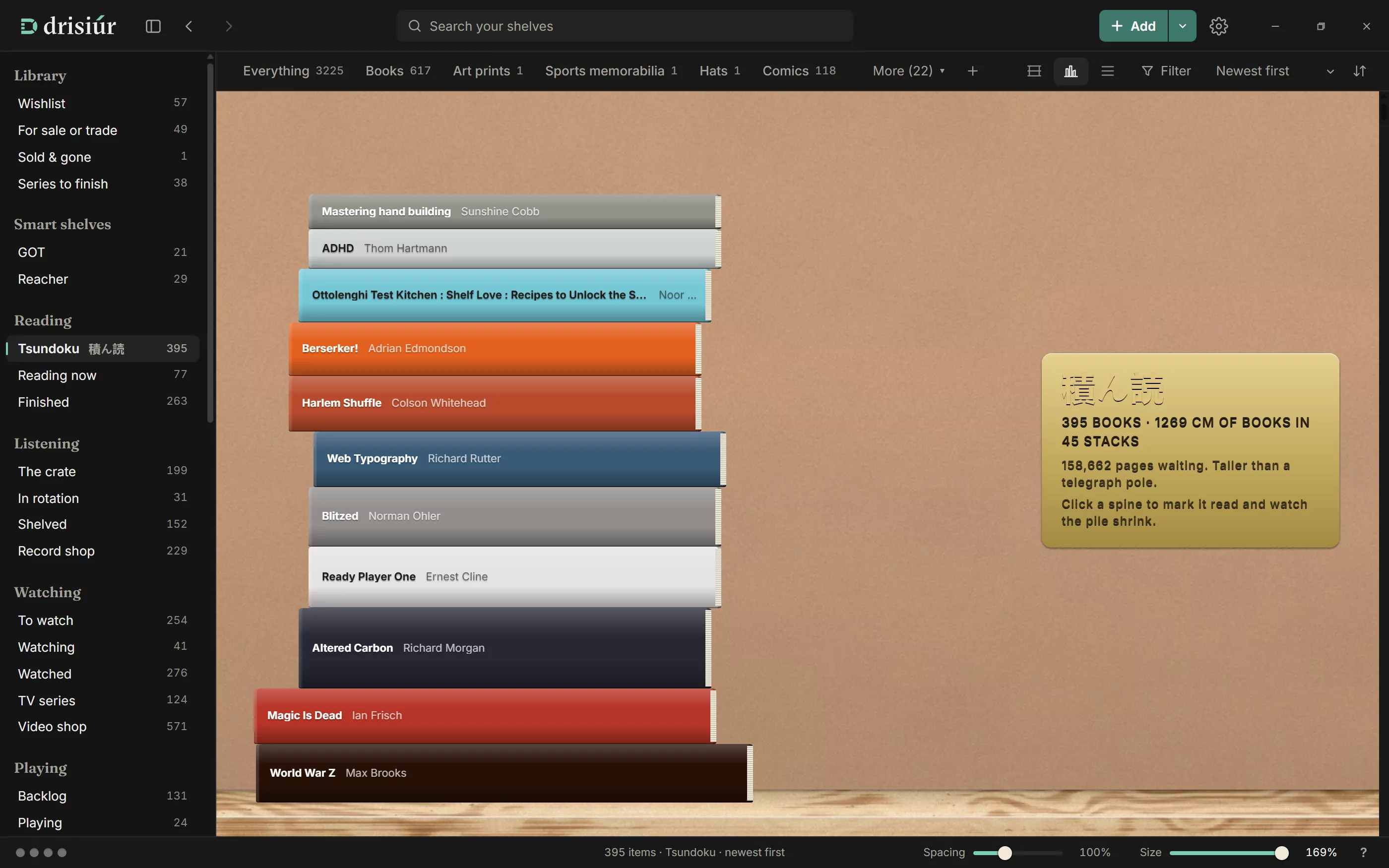
- Tsundoku 積ん読, under Reading: your unread books lie in stacks, oldest first and biggest at the bottom, under a plaque with how many there are, how tall the pile is, how many pages and how long they’ve waited.
- The crate, under Listening: unplayed records stand in crates of up to forty. Sort by artist or title and the crates are filed by letter. Scroll over a crate, or use the arrow keys, to flip through it, and click the front record to pick it up.
The record shop
Record shop, the last entry under Listening, appears once you own vinyl. Every record you have stands in crates filed by letter, like a shop: by artist, with “The” left off, or by title if you sort by Title. A busy letter is split across crates, such as Ba–Bl, and quiet neighbours share one, such as X–Z.
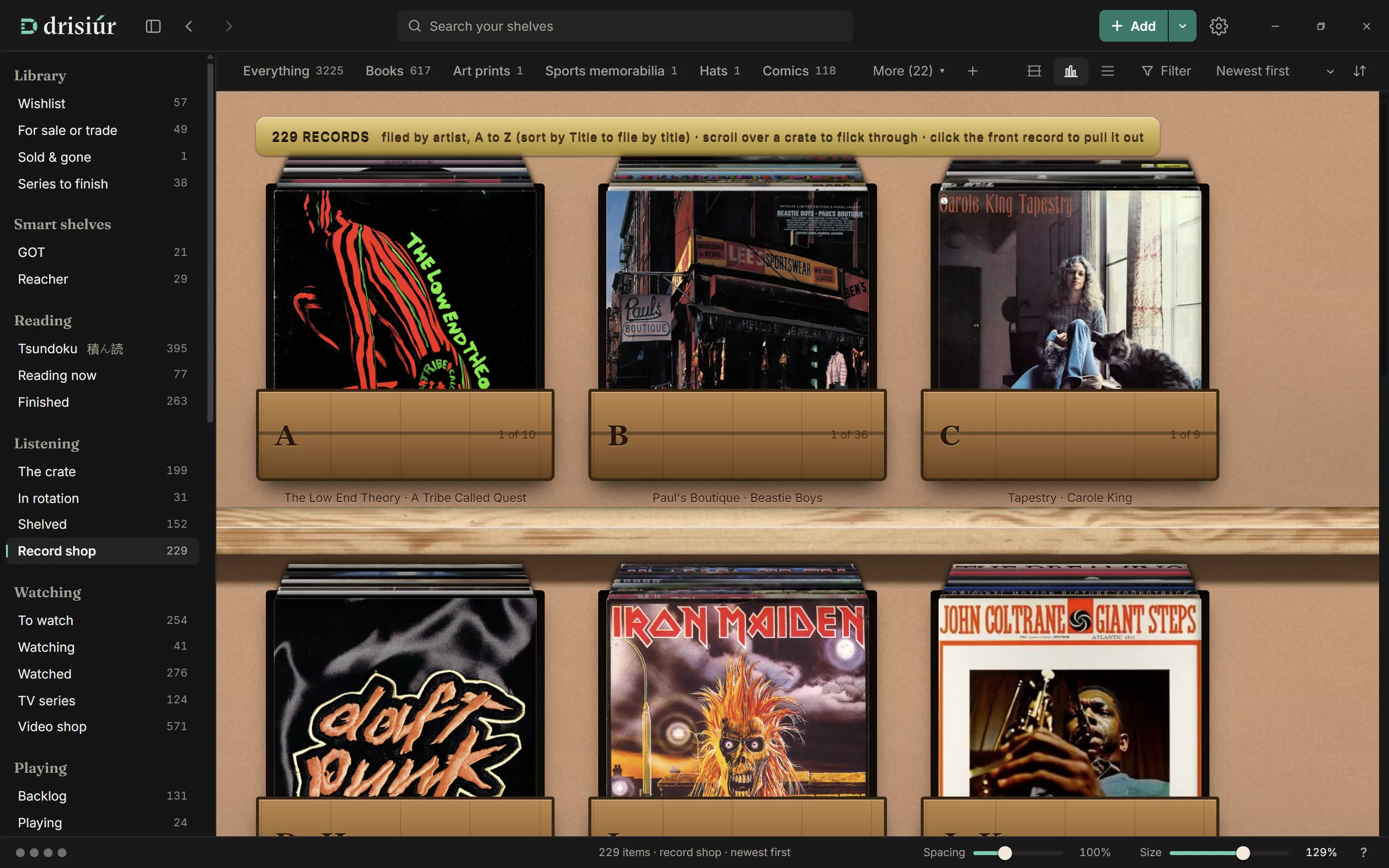
Scroll over a crate to flick through it, and click the front record to pull it out. With the keyboard, the arrow keys flick and Enter or Space pulls it out.
Films and TV
- Once you own TV, the Films shelf has an All | Films | TV switch, and the filters have Film or TV.
- TV series, under Watching, lists your series. A series bought a season at a time shows the seasons you’re missing as gaps, such as “Season 3”.
Placing things by hand
Arrange on shelf, folded away at the bottom of an item’s details, sets how it stands. Each slider starts from how Drisiúr draws it:
- Placement: Size draws it bigger or smaller than its true size, Across slides it left or right, Up raises or lowers it, and Turn turns it about its base.
- Light & shadow: Shadow is how dark its shadow is, Length how far it falls, and Direction which way. Spotlight is a light under the shelf above, shining down on it.
Each group has its own reset, and Reset puts everything back. Try the sliders on the home page.
With a key for Claude, ✦ Auto does it for you: Claude looks at a small picture of the object, its size and its neighbours, and places and lights it. Each Auto costs about a cent on your own Anthropic account.
Curiosities
Sixty-four small ornaments are earned along the way: reaching 25 items, making a backup, and others you’ll find. Milestones get a note of their own, such as your 100th record. They stand on the shelves (switch them off in Preferences → Appearance), and live in the sidebar under Cabinet → Curiosities.